Active Relief Layer
Active Relief Layer
Click the Active Relief
Layer  button on the 3D View toolbar to create a
preview image of the active relief layer. This is similar to a greyscale image,
but the default colours used are shades of brown and yellow.
 You can change the colours used in a relief layer preview using
the Options panel. The availability of this
feature is license dependent.
To display a preview image of the active relief layer:
- Select the relief layer from which you want to create the
greyscale image.
- In the 3D view, click the Active
Relief Layer
 button on the 3D View toolbar.
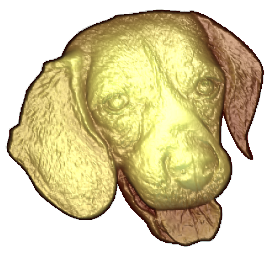
- In the 2D view, click the Toggle
Relief Preview
 button on the 2D View toolbar to view the
relief preview in the 2D view.

 Using the Active Relief
Layer option does not create a new bitmap layer. If you want to create
a greyscale image of the selected relief layer on a new bitmap
layer.
 The availability of this feature is license dependent.
See Also
Select the relief layer from which you want to create the
greyscale image.